Here at Skint Dad we believe that every penny counts, so when we were presented with the opportunity to try out a new app called Tesco Mobile Xtras, and see how it enables you to save money on your monthly mobile bill, we were intrigued.

Mobile phone bills are now a regular expense for almost every household in the UK. And with mum, dad, and the children all likely to have a mobile phone each; anything that can help reduce the cost is definitely worth finding out about.
Earn a bit of extra money in your spare time with surveys, offers and other simple tasks you can do at home.
New users can currently get a bonus when they sign up.
Claim sign-up bonusThis is where Tesco Mobile Xtras comes in.
So what exactly is Tesco Mobile Xtras?
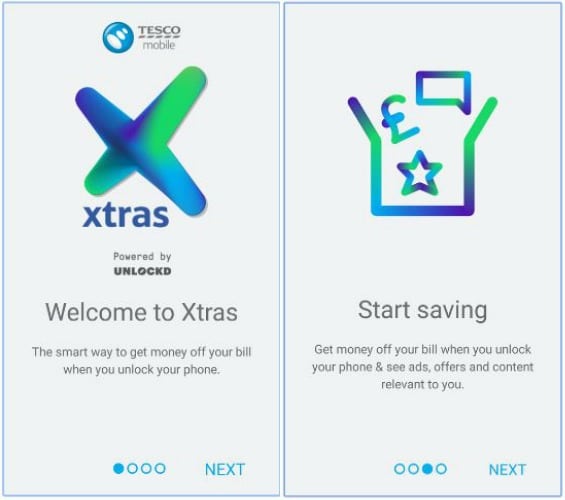
It’s a first for mobile networks in the UK. New and existing Tesco Mobile Android customers simply download the app, sign up, select their interests and preferences and then get money off their mobile bill by seeing selected relevant ads which pop up when the handset is unlocked.
How does Tesco Mobile Xtras work?
It’s really simple. The scheme works by downloading the free app from the Google Play store onto a Tesco Mobile Android mobile device. Once installed the app will show a variety of content such as daily ads, deals and offers when you unlock the phone.
To qualify for the £3 discount users will need to view at least one advert per day for 21 days within the month.
And that’s it. Just unlock the phone, either dismiss the advert or find out more information then use the phone like normal.
Sounds good! How do I get it?
You’ll need to be a Tesco Mobile customer on either a monthly or SIM only contract that includes data. In terms of device, you’ll need a smartphone that is running Android 4.0 or above. See here for range of compatible handsets.
You can download the free app from the Google Play store from your Android device. Once installed, sign up within the app, enter a few details such as your interests and age (so they show you ads which may interest you) and you’re good to go. Happy savings :D
Am I going to be bombarded with adverts?
No, not at all and I was pleased to find it wasn’t intrusive at all and didn’t get in the way of my usual mobile experience. The adverts will only show when you unlock your phone. You can then either dismiss them by clicking the X in the top right corner or if it’s something you’re interested in, you can click for more information. It’s also worth pointing out that you won’t miss out on the £3 monthly discount by dismissing the ads.
If for some reason you don’t like the app, you are able to delete it whenever you want – you are not tied into any contract.
It’s going to use up all my data, isn’t it?
The app will use roughly 100MB of data each month, although this could vary slightly. To compensate this, Tesco Mobile are providing users with an additional 200MB each month.
My guess is that you’ll probably end up with some extra data each month.
Don’t worry about getting charged more when you’re abroad as you will only see the adverts when using a Wi-Fi connection so it won’t use up all your data.
My week using Tesco Mobile Xtras
To try out Tesco Mobile Xtras for ourselves, Tesco Mobile provided us with a Samsung Galaxy S7, along with a pay monthly Tesco SIM card.
After taking delivery of the phone, I quickly got stuck in and downloaded the Tesco Mobile Xtras app from Google Play. It took just 30 seconds for the app to install and was very simple to use.
For the next week I used the phone as I would normally to get feel for the app and to see if it was intrusive at all.
As stated by Tesco Mobile; every few times I unlocked the phone to use it, an advert would appear. And in the time I was using the phone there were a mixture of ads from popular brands such as British Airways, The Sunday Times and Doritos.
The adverts were easily dismissible and did not get in the way of my normal phone usage.
Am I going to make a saving?
In terms of a way to save money I really think it’s great, especially if you have multiple people in the household using a device.
For example, a family of four such as ourselves could save £12 a month, which is £144 a year. And with the lowest Tesco Mobile sim only plan being £7.50 a month, that would work out at a massive 40% saving!
For further details on the Tesco Mobile Xtras scheme head over to their site here.
Written in collaboration with Tesco Mobile